
Four technologies that share one inventory of every automation.
Import the bots once and Blueprint reads every automation into a single inventory. Analysis, conversion, coding and lifecycle all work from it, in one subscription with unlimited users.
Modernize
Migration AnalysisMigration & RPA Analysis
Complexity scoring and a target operating model for your whole estate.
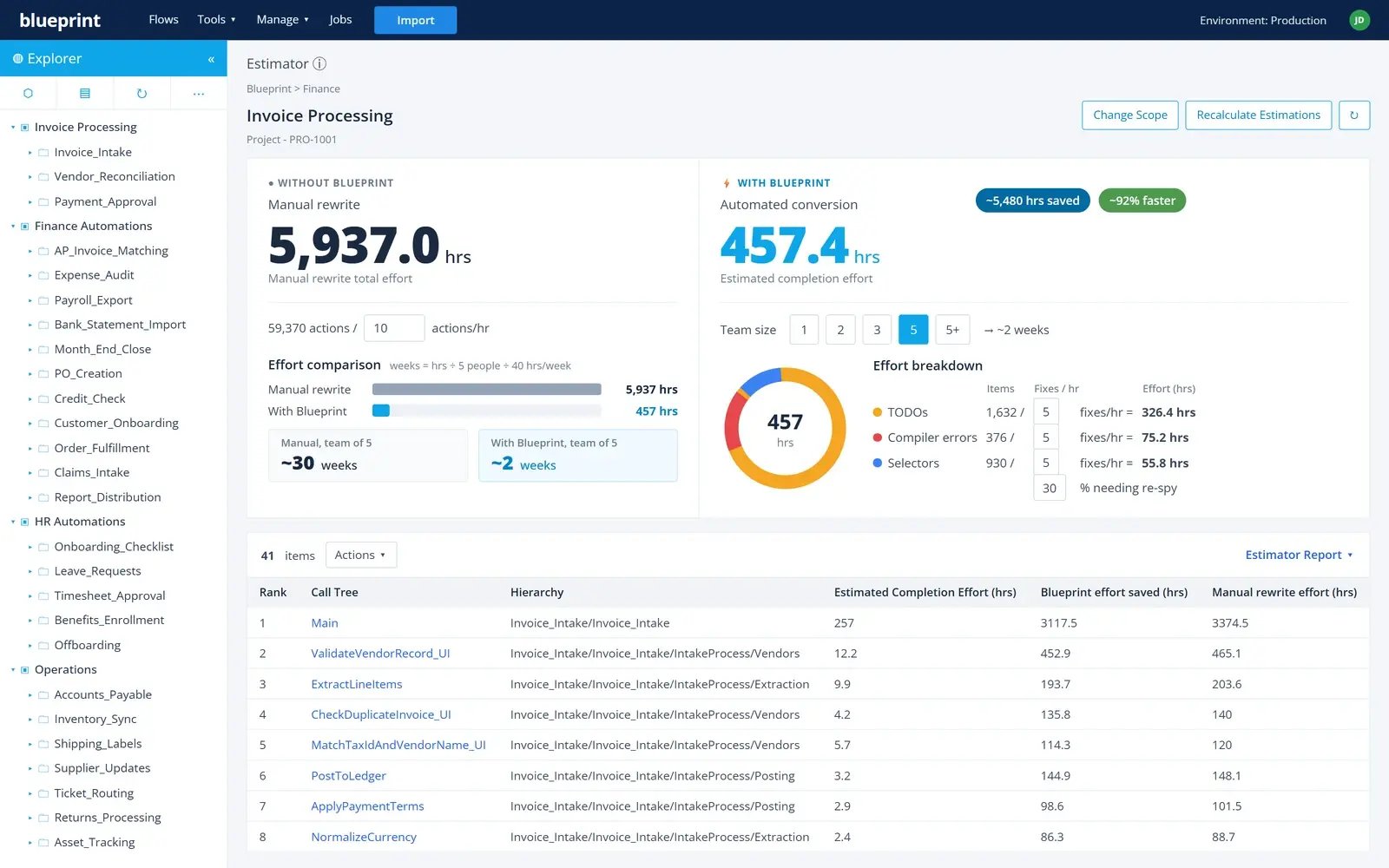
Migration EstimatesMigration & RPA Analysis
Effort estimates from every automation, not a sample.
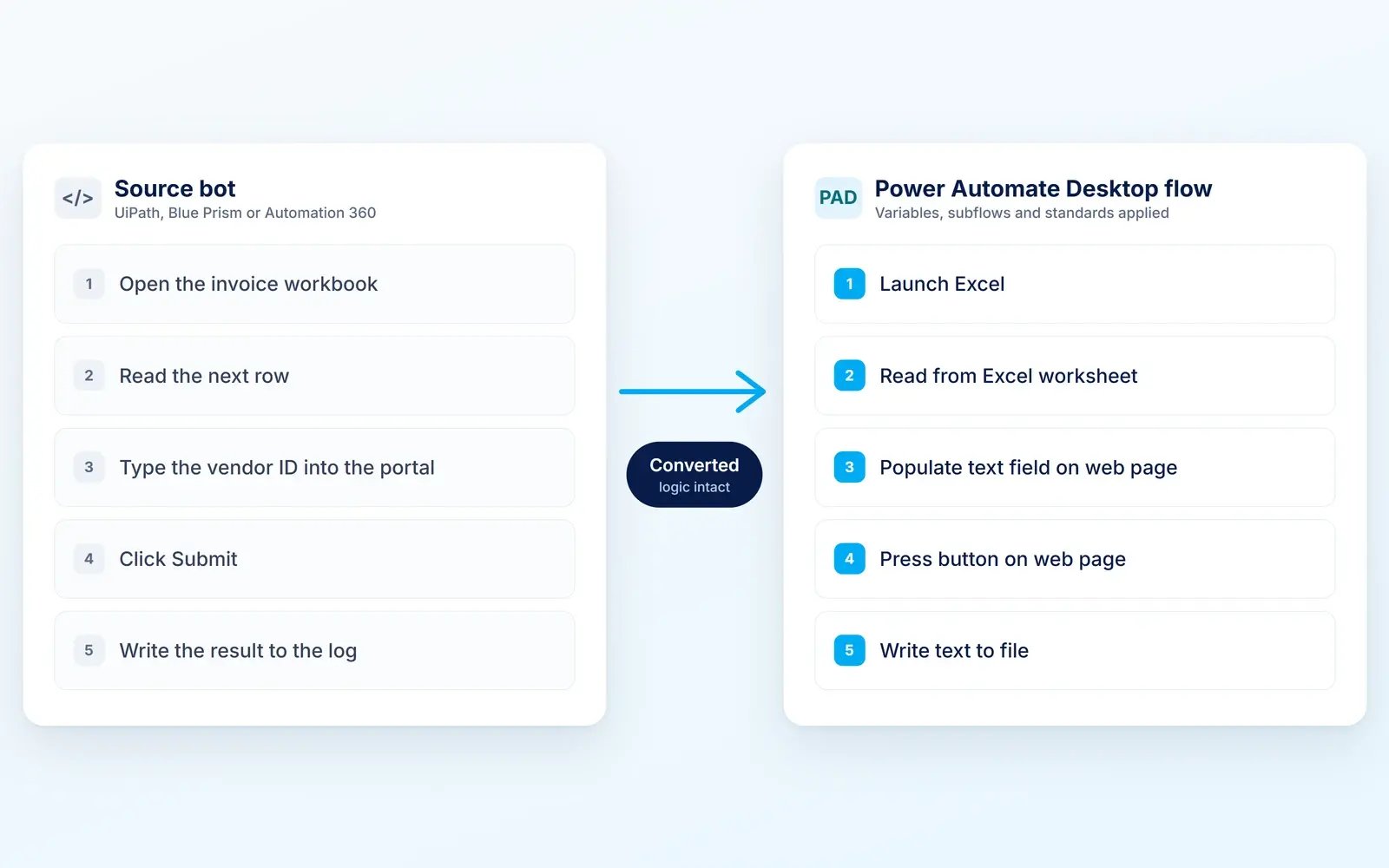
Code ConversionCode Conversion
Working Power Automate Desktop flows, built to the target standards.
Migration AssistantDesktop Coding
Where each PAD action came from in the original platform. See the Migration Assistant
Agentic RPADesktop Lifecycle
Automations become tools AI agents can invoke, with each automation keeping control. See Agentic RPA
Monitor
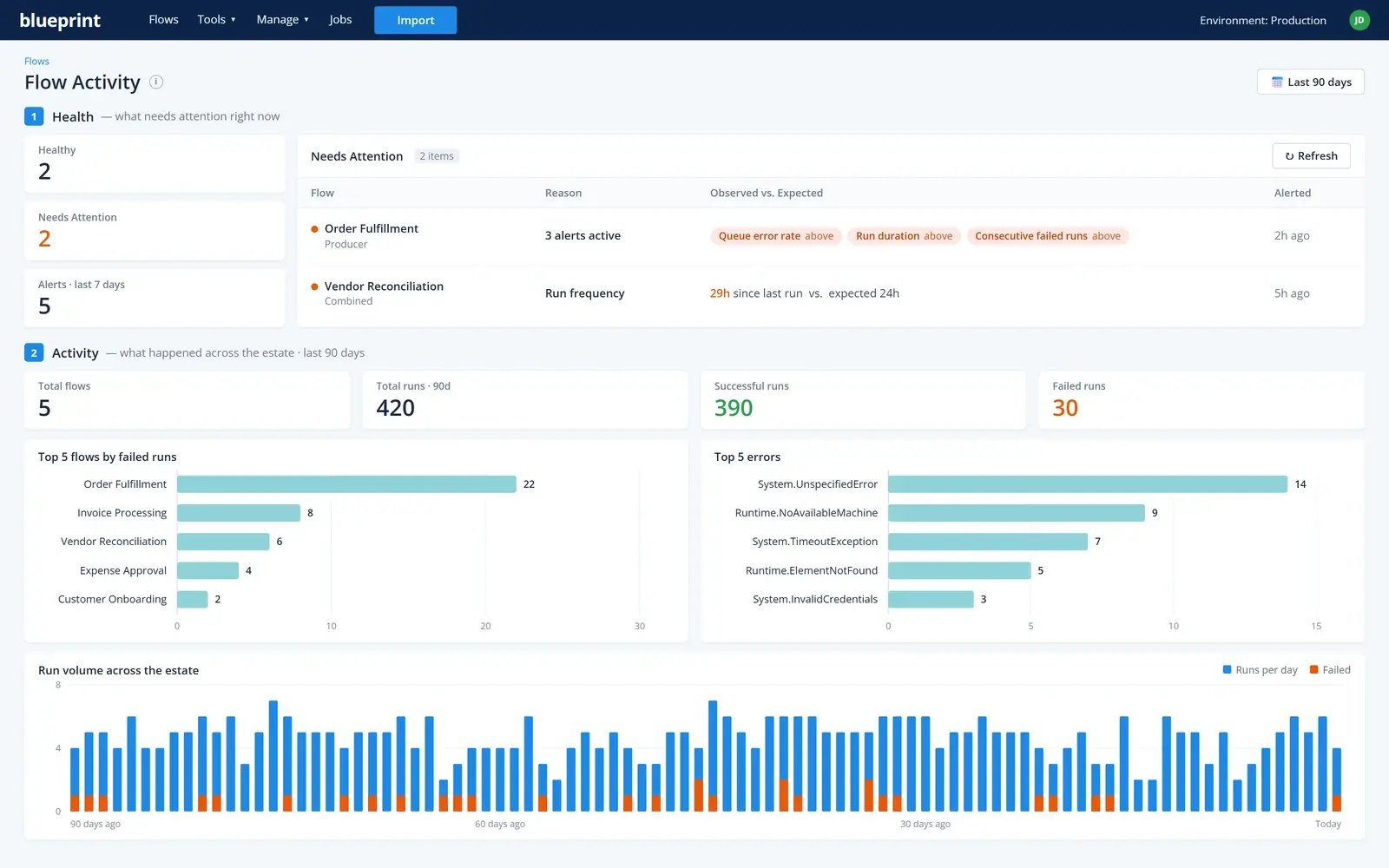
Flow MonitoringDesktop Lifecycle
Health, anomaly flags and run volume for every automation, in every environment.
Business Outcome MonitoringDesktop Lifecycle
Whether each automation delivers its results, not just whether it ran. Watch the video
Flow Code TestingDesktop Coding
Automated tests that run on a schedule, with checks on each action and the share of the automation they cover.
Maintain
Dependencies and Impact AnalysisDesktop Lifecycle
What a change touches before it's made.
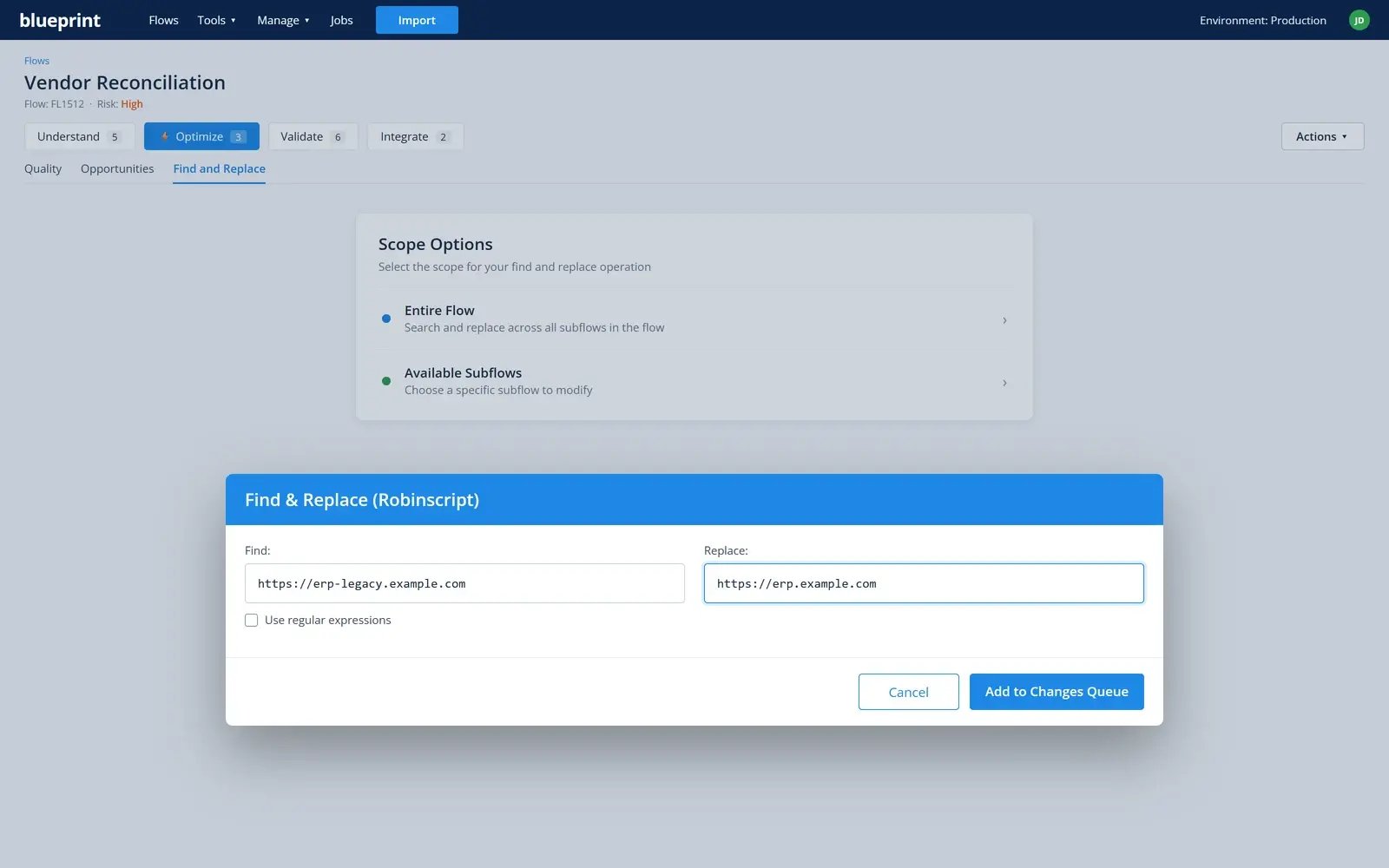
Bulk Code UpdateDesktop Coding
One find-and-replace change, applied across every automation.
Specification ExportDesktop Lifecycle
An automation's documentation as a Word or PDF spec.
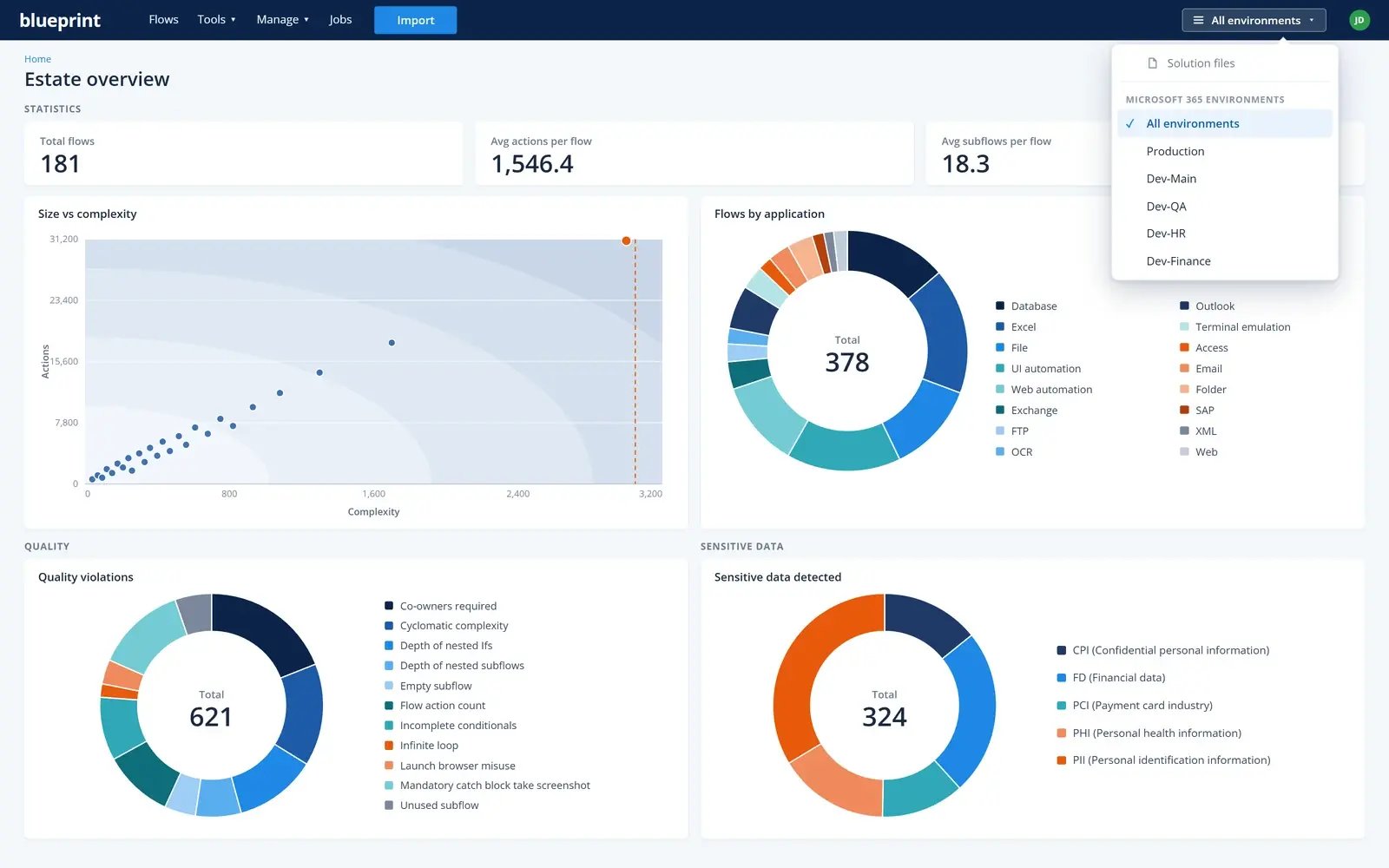
Every Power Automate environment, in one view.
Connect each Microsoft 365 environment, from production to every dev and test environment, and see your whole Power Automate Desktop estate together: automation counts, applications, size and complexity, quality issues and sensitive data. Switch to a single environment when you need a closer look.
- Production, dev and test environments side by side
- Estate-wide quality and sensitive-data totals
- Filter to one environment in a click
Run it in our cloud or inside the organization's own network.
Two ways to deploy. The same product, the same capabilities, either way.
Deployment options
Run it in our cloud or inside the organization's own network.
Cloud hosted
Blueprint runs it for you in our secure cloud-hosted environment. Nothing to install; updates arrive without an upgrade project.
On-premises
Install it inside the organization's own environment, behind its firewall, so automation code and data never leave its network.
Built for large enterprise estates.
Scalable
Analyzes your whole estate at once, not a sample, and keeps up as it grows.
Secure
Securely developed, and hosted in SOC 2 Type II and ISO 27001 data centers.
Controlled
Role-based access, single sign-on, and an audit trail of who looked at and changed what.
Integrations
For lifecycle governance
Both directions: Blueprint and Power Platform work side by side.Analyzes, updates, tests and monitors the automations it reads.
For migration
One direction: from legacy RPA to the new platform.Imports source files, analyzes and converts.
A broad range of reports for both migration and governance: inventory, estimates, complexity, dependencies, selectors and more.