
Migrate without rebuilding by hand.
Work with Blueprint or your chosen systems integrator to convert each automation to Power Automate Desktop and beyond, with all its logic intact. Staff augmentation from the Blueprint team is available when you need it.
Priced in migration credits · Sized to your estate
less effort than a manual rewrite
95–99% of source actions convert automaticallySource: Blueprint Efficiency Metric (BEM) study.
See exactly what each step became.
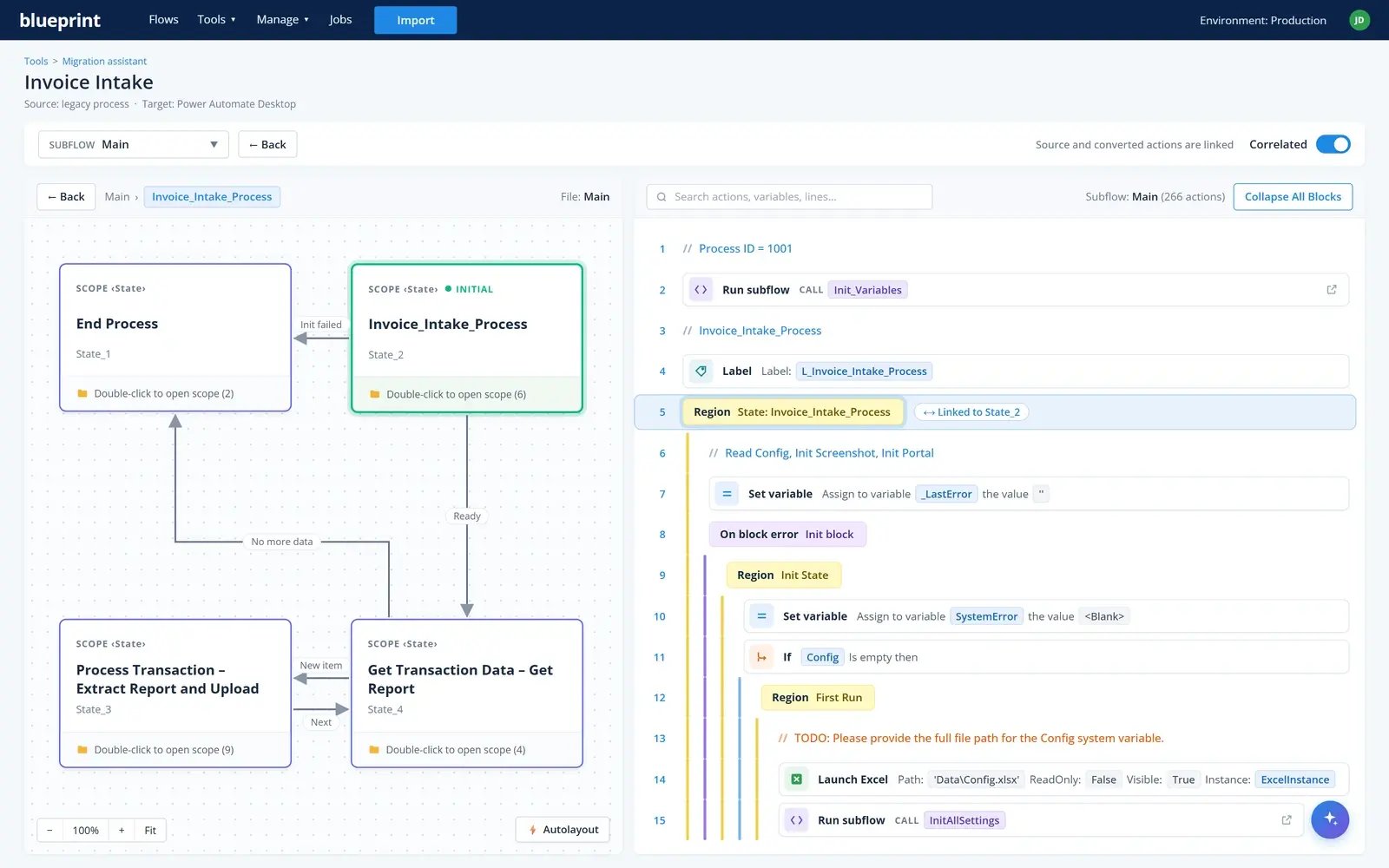
The source tool's code renders in the left pane and the converted Power Automate Desktop code in the right, so it's clear exactly what became what. Click any snippet to jump to its counterpart on the other side.
- Source and converted code in one view, with no switching between tools to check a conversion
- Click any snippet to jump to its counterpart in the other pane
- TODOs sit next to the code they belong to
Three ways to run your migration
With your team
Your developers convert in Blueprint using migration credits.
With your chosen systems integrator
One you already work with, or one the Blueprint team introduces, runs it in Blueprint.
With the Blueprint team
The Blueprint team scopes the work with you and provides staff augmentation for your project.
Everything that matters carries across.
The logic stays intact
Blueprint reads the automation itself, not a description of it. The branches, the exception handling and the odd bit someone added in 2021 all come with it.
Honest about what's left
Migration isn't fully automated, and Blueprint doesn't claim it is. There's a clear line between what converts and what the delivery team finishes.
Documentation on the way out
Documentation your old estate rarely had comes with the new one, because it's generated from the automation.
Power Automate Desktop and beyond
Selectors convert, including UIA, MSAA, variable-based, image, anchor and SAP, with fallbacks created automatically.
Here's how a migration runs.
-
Plan
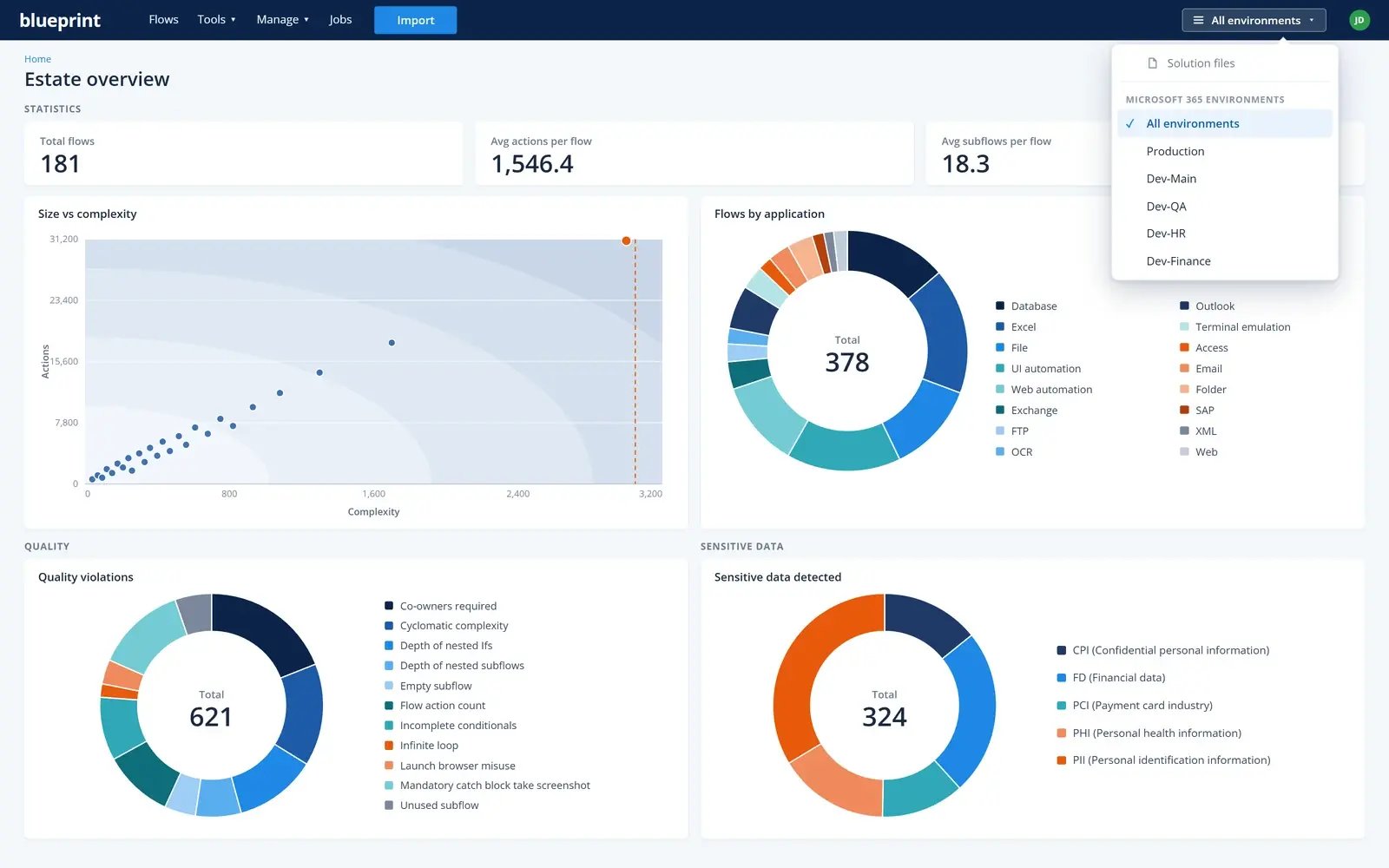
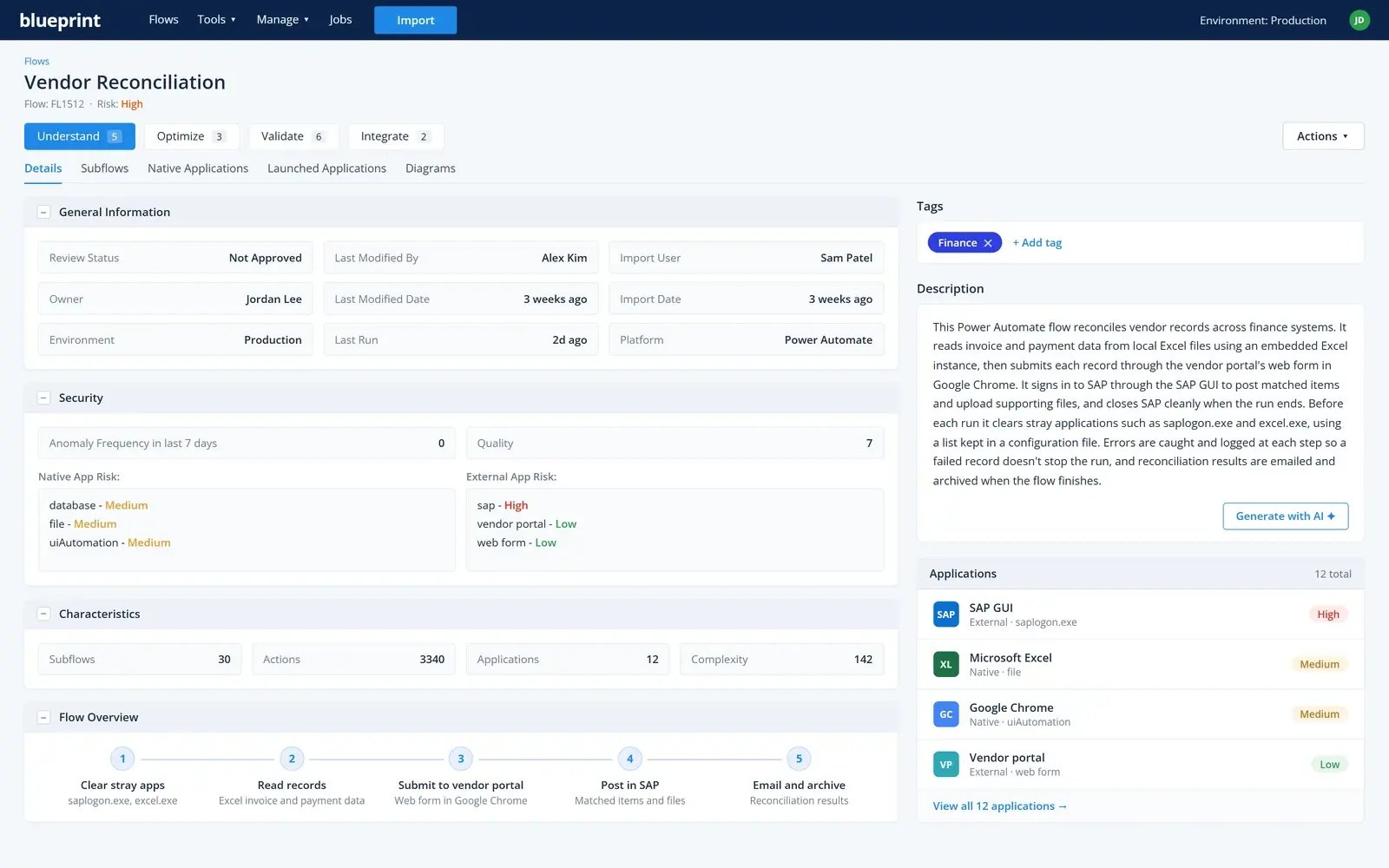
Import your whole estate. Size, complexity, applications, missing dependencies. Triage each bot: retire, rewrite, reimagine or migrate, and flag the ones that could become agent tools instead.
-
Analyze
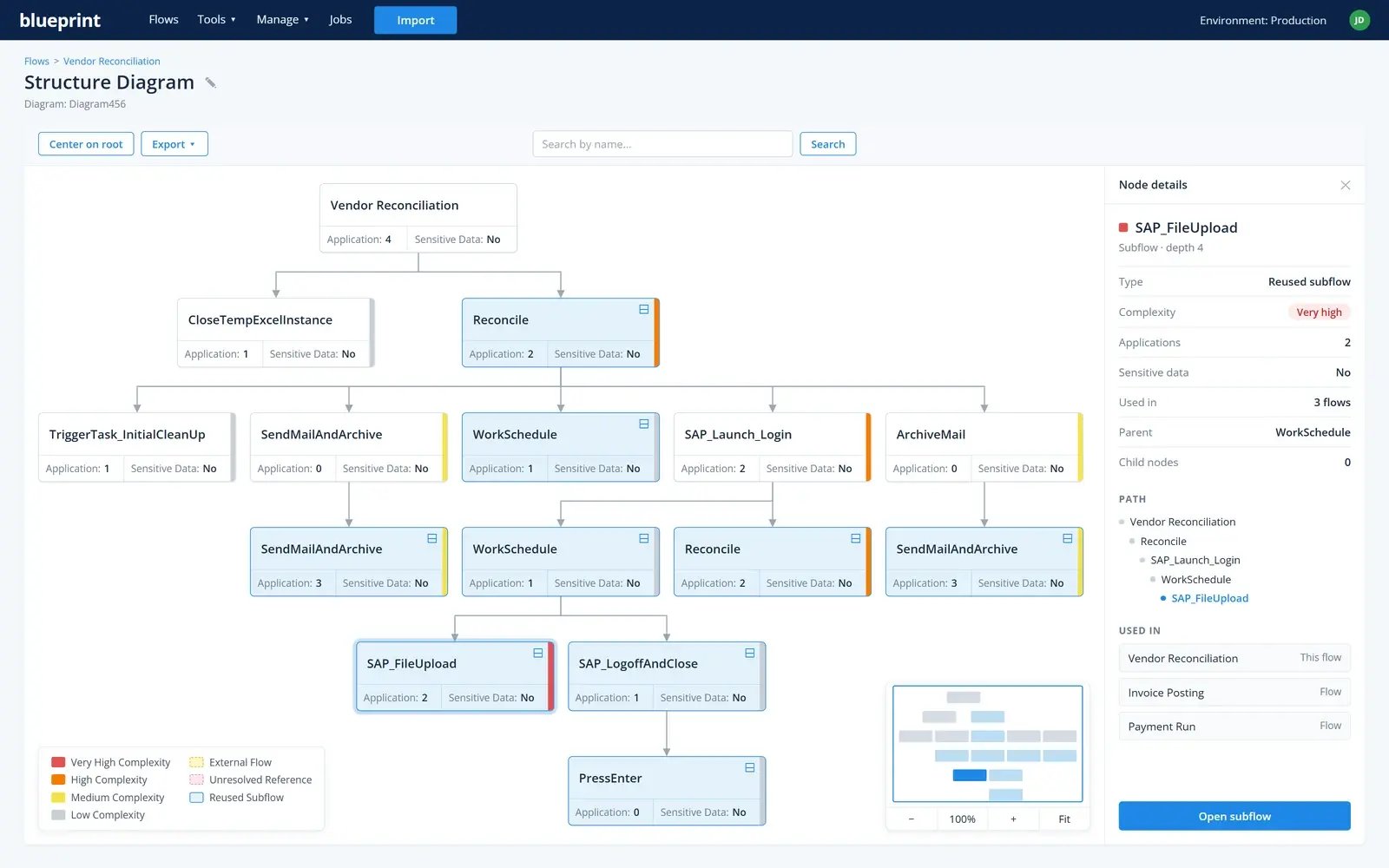
Understand each bot with AI descriptions and diagrams, then set mapping and reuse rules once, so every export uses them. Shared libraries come across as reusable automations.
-
Convert
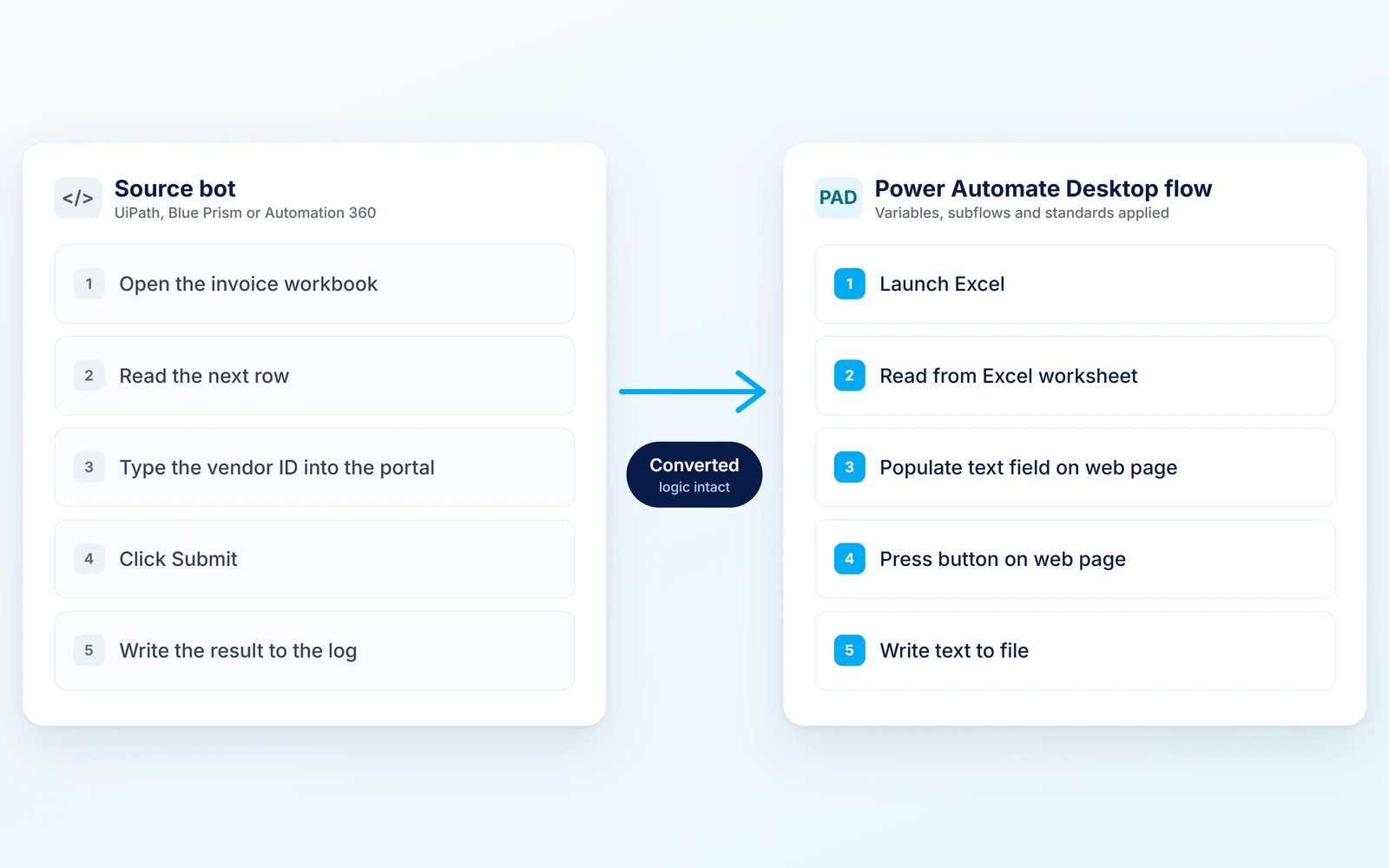
Generate Power Automate Desktop (PAD) flows from legacy RPA bots, with the target standards applied: variables, subflows, libraries and target operating model. Re-run conversions after each Blueprint release to pick up the latest mappings.
-
Complete, then govern
TODO guidance in the code, selector reports, test generation and as-built specs in Word or PDF. Then modernize, monitor and maintain it.
Find out what an RPA migration would take.
- Every branch and exception carries across
- Run it with your team, your systems integrator or the Blueprint team
- Sized to your estate before you commit
Talk to Sales
Migration credits are bought separately.